Yes, This feature is available as a Paid Service in the free and premium plugin.
The price of this paid service starts from USD 10 per year.
In this there is no need of submitting the facebook app for approval.
The procedure is given below.
Step 1: Premium Plugin
In the facebook account section in the plugin, please select the approved app option “Use smapsolutions.com’s facebook application”.
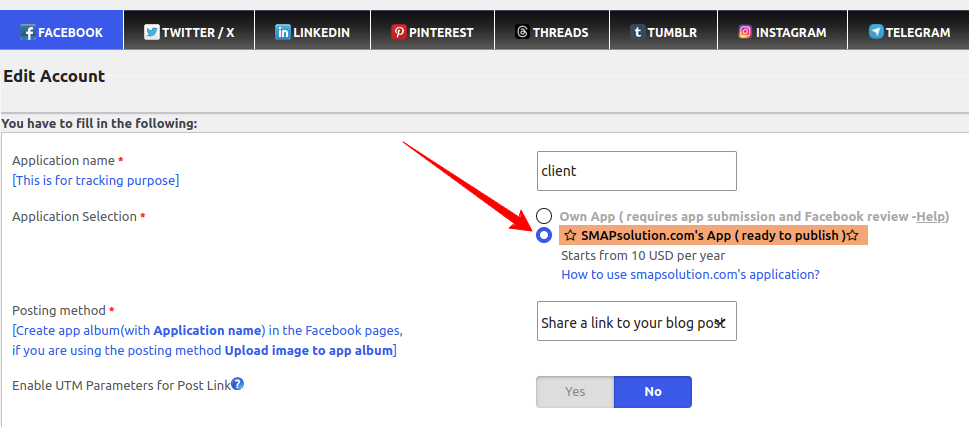
Please enter other details and save it.
Now click on the reauthenticate button.
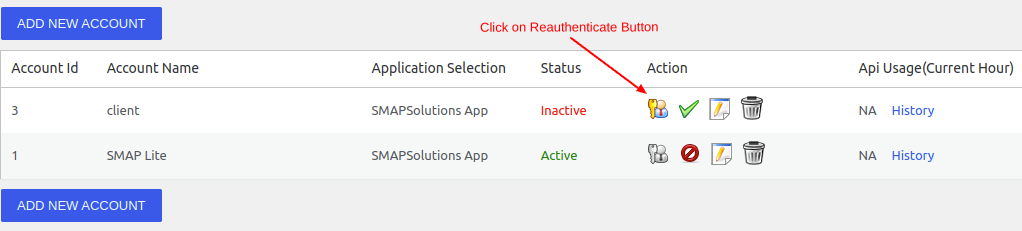
It will display a popup and login to your fb account.
Step 1: Free Plugin
Please select the approved app option and click on the connect to xyzscripts account button.
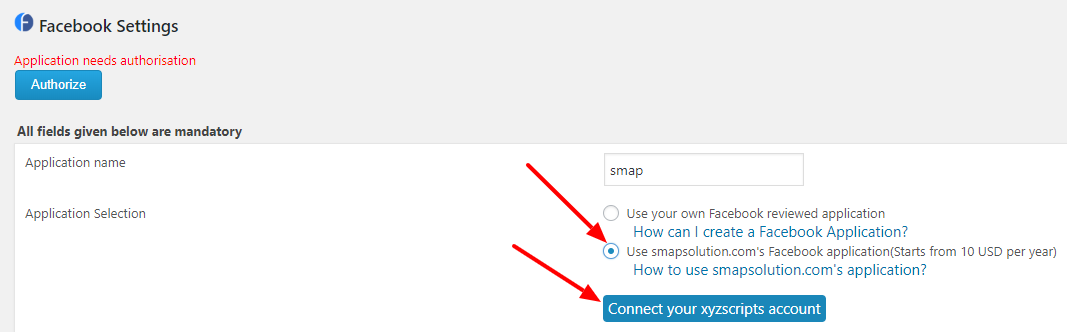
Now it will display a popup to login to xyzscripts or register to xyzscripts.
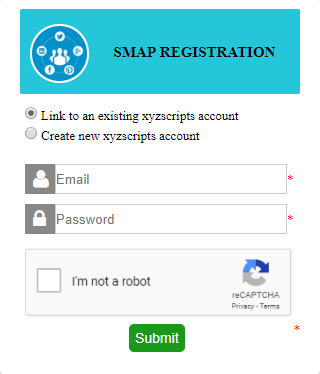
If you are creating a new account, it will send a confirmation mail to the registered email and click on the confirmation link.
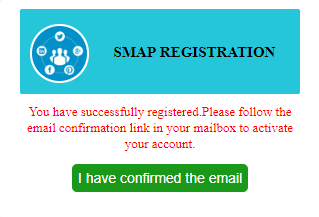
After confirming the email, please save it and click on the “authorize” button.
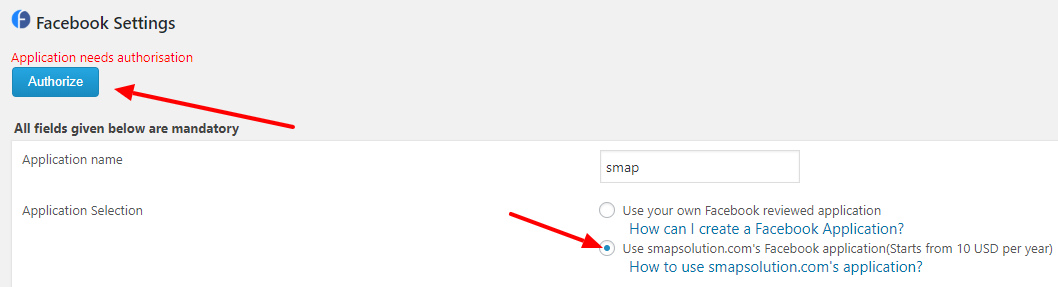
Step 2 : Applicable to both Premium and Free Plugins
Now you can purchase the SMAP Package. The price depends on the number of facebook accounts, API calls per hour per account and number of facebook pages per account.
For publishing a simple text message, it will take 1 API call, Upload image option will take 2-3 API calls and attach link option takes 1-2 API calls.
So if you are selecting 10 API calls, you can publish 3-10 posts (depending on the posting method) per hour to all your facebook pages.
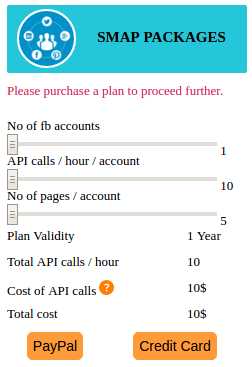
After purchasing the package and successful payment it will redirect to facebook authorization flow.
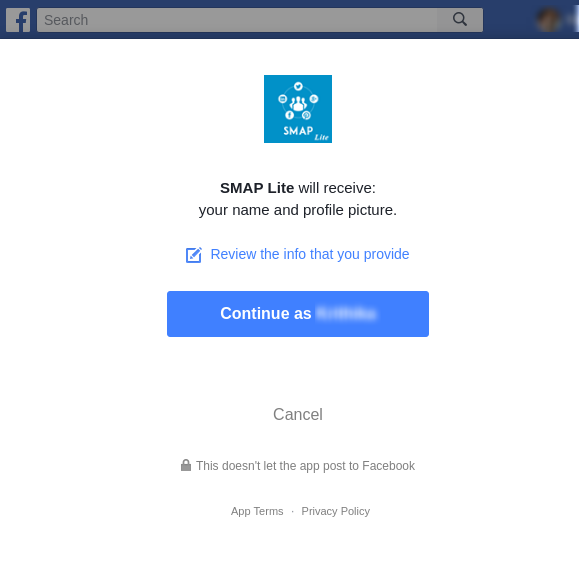
Now click on the continue button.
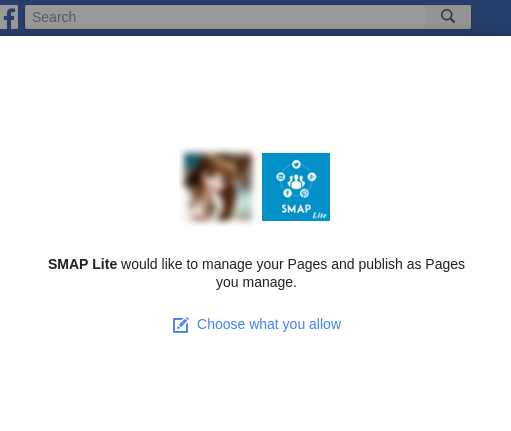
Click the Next button or choose the fb pages.
After Facebook authorization is completed, facebook pages will be listed.
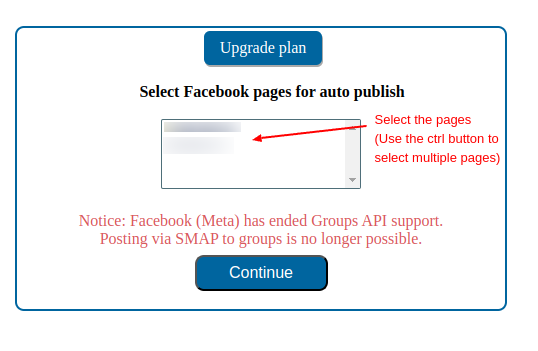
Select pages and click the continue button,it will redirect to the edit-account page,where the selected pages displayed.
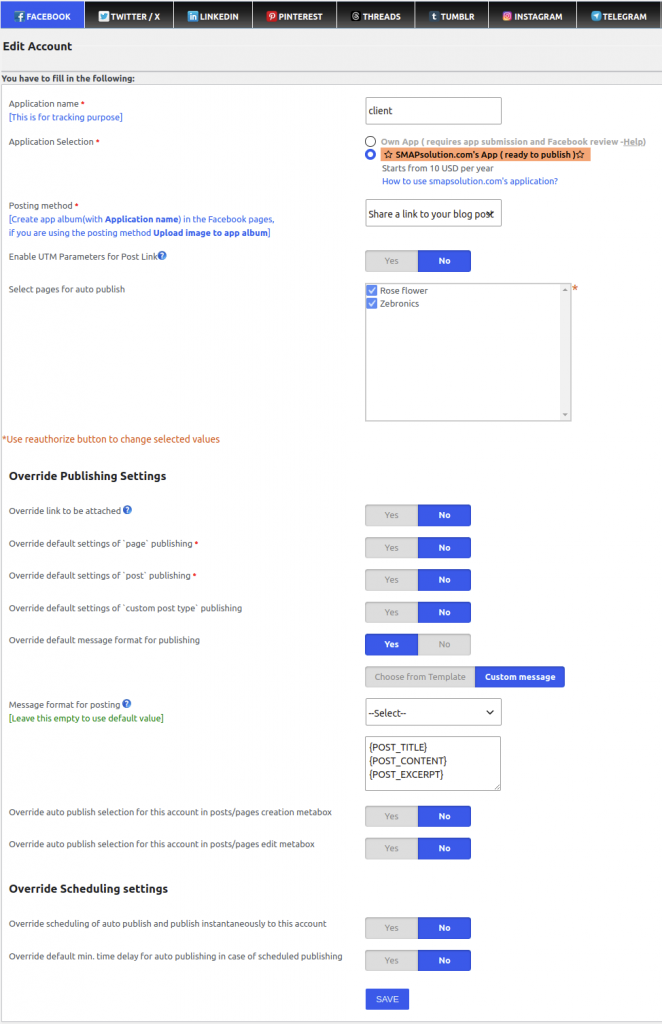
Now save the account and it is ready to publish to the selected fb pages.
Error cases on authorization procedure
Click on continue without selecting pages
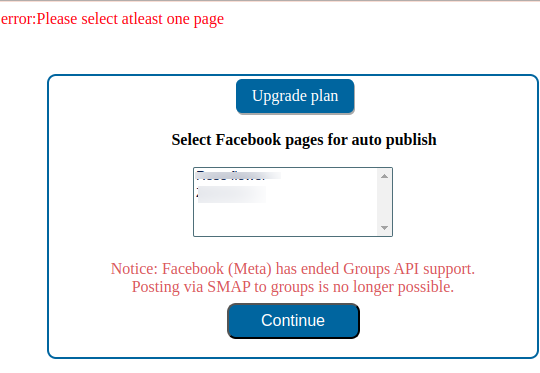
Select at least one Facebook Page to continue. If no page is selected, an error message will be displayed, and you cannot proceed to the next step.